Compare commits
15 Commits
| Author | SHA1 | Date | |
|---|---|---|---|
| 6352994ee8 | |||
| feac411dff | |||
| b65723956c | |||
| e9396b7c25 | |||
| c973499445 | |||
| 9d74b700e7 | |||
| b92cf9f173 | |||
| 8af7fd829a | |||
| d782fdeddf | |||
| 68c4115454 | |||
| ad1d95950e | |||
| 8e1657921f | |||
| 761579391a | |||
| f6706d1c00 | |||
| 239ed8cf39 |

301
README.md
Normal file
301
README.md
Normal file
@@ -0,0 +1,301 @@
|
||||
# nanocode
|
||||
|
||||
Minimal Claude Code alternative using DSPy RLM! Single Python file, ~305 lines.
|
||||
|
||||
Built using Claude Code, then used to build itself.
|
||||
|
||||
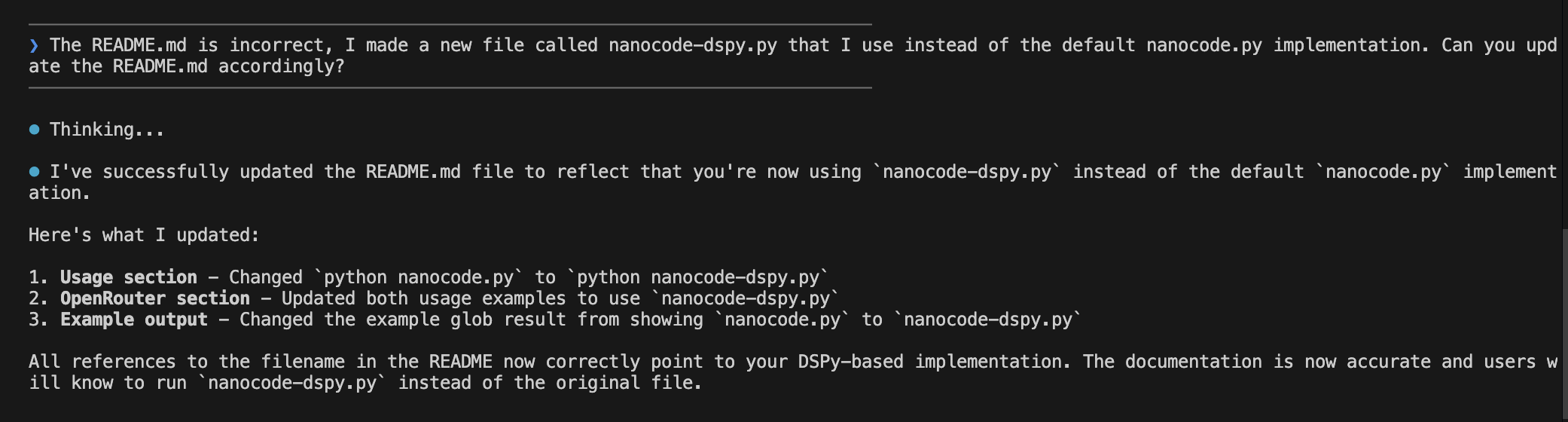
|
||||
|
||||
## Features
|
||||
|
||||
- Full agentic loop with tool use via [DSPy RLM](https://dspy.ai/)
|
||||
- Tools: `read`, `write`, `edit`, `glob`, `grep`, `bash`
|
||||
- Conversation history with context
|
||||
- Colored terminal output
|
||||
- **Modaic Integration**: Push, version, and share as a [Modaic](https://modaic.dev) autoprogram
|
||||
|
||||
---
|
||||
|
||||
## Prerequisites
|
||||
|
||||
Before using nanocode (or any DSPy RLM-based program), you need to install the Deno code interpreter:
|
||||
|
||||
```bash
|
||||
brew install deno
|
||||
```
|
||||
|
||||
This is required for the RLM's code execution capabilities.
|
||||
|
||||
---
|
||||
|
||||
## Quick Start
|
||||
|
||||
### Option 1: Use as a Modaic AutoProgram
|
||||
|
||||
Load and run nanocode directly from the Modaic Hub without cloning:
|
||||
|
||||
```python
|
||||
from modaic import AutoProgram
|
||||
|
||||
# Load the precompiled nanocode agent from Modaic Hub
|
||||
agent = AutoProgram.from_precompiled(
|
||||
"farouk1/nanocode",
|
||||
config={
|
||||
"lm": "openrouter/openai/gpt-5.2-codex",
|
||||
"max_iters": 50
|
||||
}
|
||||
)
|
||||
|
||||
# Run a coding task
|
||||
result = agent(task="What Python files are in this directory?")
|
||||
print(result.answer)
|
||||
```
|
||||
|
||||
### Option 2: Run Locally (Interactive CLI)
|
||||
|
||||
```bash
|
||||
export OPENROUTER_API_KEY="your-key"
|
||||
python nanocode.py
|
||||
```
|
||||
|
||||
To use a specific model:
|
||||
|
||||
```bash
|
||||
export OPENROUTER_API_KEY="your-key"
|
||||
export MODEL="openai/gpt-4"
|
||||
python nanocode.py
|
||||
```
|
||||
|
||||
---
|
||||
|
||||
## Configuration
|
||||
|
||||
When using as a Modaic AutoProgram, you can configure these options:
|
||||
|
||||
| Parameter | Type | Default | Description |
|
||||
|-----------|------|---------|-------------|
|
||||
| `lm` | str | `openrouter/openai/gpt-5.2-codex` | Primary language model |
|
||||
| `sub_lm` | str | `openrouter/openai/gpt-5-mini` | Sub-LM for reasoning steps |
|
||||
| `max_iters` | int | `50` | Maximum agent iterations |
|
||||
| `api_base` | str | `https://openrouter.ai/api/v1` | API base URL |
|
||||
| `max_tokens` | int | `50000` | Maximum tokens per request |
|
||||
| `max_output_chars` | int | `100000` | Maximum output character limit |
|
||||
| `verbose` | bool | `False` | Enable verbose logging |
|
||||
| `track_usage` | bool | `True` | Track token usage |
|
||||
|
||||
Example with custom configuration:
|
||||
|
||||
```python
|
||||
from modaic import AutoProgram
|
||||
|
||||
agent = AutoProgram.from_precompiled(
|
||||
"farouk1/nanocode",
|
||||
config={
|
||||
"lm": "openrouter/anthropic/claude-sonnet-4",
|
||||
"sub_lm": "openrouter/openai/gpt-4.1-mini",
|
||||
"max_iters": 30,
|
||||
"max_tokens": 8000,
|
||||
"verbose": True,
|
||||
"track_usage": False
|
||||
}
|
||||
)
|
||||
```
|
||||
|
||||
---
|
||||
|
||||
## CLI Commands
|
||||
|
||||
| Command | Description |
|
||||
|---------|-------------|
|
||||
| `/c` | Clear conversation history |
|
||||
| `/q` or `exit` | Quit the application |
|
||||
|
||||
---
|
||||
|
||||
## Tools
|
||||
|
||||
The agent has access to the following tools:
|
||||
|
||||
| Tool | Description |
|
||||
|------|-------------|
|
||||
| `read_file(path, offset, limit)` | Read file contents with line numbers |
|
||||
| `write_file(path, content)` | Write content to a file |
|
||||
| `edit_file(path, old, new, replace_all)` | Replace text in a file (old must be unique unless `replace_all=True`) |
|
||||
| `glob_files(pattern, path)` | Find files matching a glob pattern, sorted by modification time |
|
||||
| `grep_files(pattern, path)` | Search files for a regex pattern |
|
||||
| `run_bash(cmd)` | Run a shell command and return output |
|
||||
|
||||
---
|
||||
|
||||
## Example Usage
|
||||
|
||||
### Interactive CLI
|
||||
|
||||
```
|
||||
────────────────────────────────────────
|
||||
❯ what files are here?
|
||||
────────────────────────────────────────
|
||||
|
||||
⏺ Thinking...
|
||||
⏺ globfiles(pattern='**/*', path='.')
|
||||
|
||||
⏺ I found the following files:
|
||||
- nanocode.py
|
||||
- README.md
|
||||
- modaic/SKILL.md
|
||||
```
|
||||
|
||||
### Programmatic Usage
|
||||
|
||||
```python
|
||||
from modaic import AutoProgram
|
||||
|
||||
agent = AutoProgram.from_precompiled("farouk1/nanocode")
|
||||
|
||||
# Read a file
|
||||
result = agent(task="Read the first 10 lines of nanocode.py")
|
||||
print(result.answer)
|
||||
|
||||
# Search for patterns
|
||||
result = agent(task="Find all functions that contain 'file' in their name")
|
||||
print(result.answer)
|
||||
|
||||
# Make edits
|
||||
result = agent(task="Add a comment at the top of README.md")
|
||||
print(result.answer)
|
||||
```
|
||||
|
||||
---
|
||||
|
||||
## Architecture
|
||||
|
||||
### Overview
|
||||
|
||||
```
|
||||
nanocode.py
|
||||
├── File Operations
|
||||
│ ├── read_file() - Read with line numbers
|
||||
│ ├── write_file() - Write content
|
||||
│ └── edit_file() - Find & replace
|
||||
├── Search Operations
|
||||
│ ├── glob_files() - Pattern matching
|
||||
│ └── grep_files() - Regex search
|
||||
├── Shell Operations
|
||||
│ └── run_bash() - Execute commands
|
||||
├── DSPy Components
|
||||
│ ├── CodingAssistant (Signature)
|
||||
│ ├── RLMCodingProgram (PrecompiledProgram)
|
||||
│ │ ├── forward() - Run agent on task
|
||||
│ │ ├── get_tools() - Get available tools
|
||||
│ │ ├── set_tool() - Add/replace a tool
|
||||
│ │ ├── remove_tool() - Remove a tool
|
||||
│ │ ├── reload_lms() - Recreate LMs from config
|
||||
│ │ └── load_state() - Load state with LM fix
|
||||
│ └── RLMReasoningCallback
|
||||
└── Modaic Integration
|
||||
└── RLMCodingConfig (PrecompiledConfig)
|
||||
```
|
||||
|
||||
### Key Classes
|
||||
|
||||
#### `RLMCodingConfig`
|
||||
Configuration class extending `PrecompiledConfig` for experiment-specific parameters.
|
||||
|
||||
```python
|
||||
class RLMCodingConfig(PrecompiledConfig):
|
||||
max_iters: int = 50
|
||||
lm: str = "openrouter/openai/gpt-5.2-codex"
|
||||
sub_lm: str = "openrouter/openai/gpt-5-mini"
|
||||
api_base: str = "https://openrouter.ai/api/v1"
|
||||
max_tokens: int = 50000
|
||||
max_output_chars: int = 100000
|
||||
verbose: bool = False
|
||||
track_usage: bool = True
|
||||
```
|
||||
|
||||
#### `RLMCodingProgram`
|
||||
Main program class extending `PrecompiledProgram`. Wraps a DSPy RLM agent with coding tools.
|
||||
|
||||
```python
|
||||
class RLMCodingProgram(PrecompiledProgram):
|
||||
config: RLMCodingConfig
|
||||
|
||||
def forward(self, task: str) -> dspy.Prediction:
|
||||
# Returns prediction with .answer
|
||||
return self.agent(task=task)
|
||||
|
||||
def get_tools(self) -> dict:
|
||||
# Returns dict of available tools
|
||||
|
||||
def set_tool(self, name: str, tool: callable):
|
||||
# Add or replace a tool
|
||||
|
||||
def remove_tool(self, name: str):
|
||||
# Remove a tool by name
|
||||
|
||||
def reload_lms(self):
|
||||
# Recreate LM objects from current config
|
||||
```
|
||||
|
||||
#### `CodingAssistant`
|
||||
DSPy Signature defining the agent's input/output schema.
|
||||
|
||||
```python
|
||||
class CodingAssistant(dspy.Signature):
|
||||
"""You are a concise coding assistant with access to sub agents."""
|
||||
|
||||
task: str = dspy.InputField(desc="The user's coding task or question")
|
||||
answer: str = dspy.OutputField(desc="Your response to the user after completing the task")
|
||||
```
|
||||
|
||||
---
|
||||
|
||||
## Publishing Your Own Version
|
||||
|
||||
If you modify nanocode and want to publish your own version to Modaic Hub:
|
||||
|
||||
```python
|
||||
from nanocode import RLMCodingProgram, RLMCodingConfig
|
||||
|
||||
# Create and optionally optimize your program
|
||||
program = RLMCodingProgram(RLMCodingConfig())
|
||||
|
||||
# Push to your Modaic Hub repo
|
||||
program.push_to_hub(
|
||||
"your-username/my-nanocode",
|
||||
commit_message="My customized nanocode",
|
||||
with_code=True # Include source code for AutoProgram loading
|
||||
)
|
||||
```
|
||||
|
||||
---
|
||||
|
||||
## Dependencies
|
||||
|
||||
- [DSPy](https://dspy.ai/) - Framework for programming language models
|
||||
- [Modaic](https://modaic.dev/) - Hub for sharing and versioning DSPy programs
|
||||
- OpenRouter API key (for accessing language models)
|
||||
|
||||
Install dependencies:
|
||||
|
||||
```bash
|
||||
pip install dspy modaic
|
||||
# or with uv
|
||||
uv add dspy modaic
|
||||
```
|
||||
|
||||
---
|
||||
|
||||
## Environment Variables
|
||||
|
||||
| Variable | Required | Description |
|
||||
|----------|----------|-------------|
|
||||
| `OPENROUTER_API_KEY` | Yes | Your OpenRouter API key |
|
||||
| `MODEL` | No | Override the default model selection |
|
||||
| `MODAIC_TOKEN` | For Hub | Required for pushing/loading from Modaic Hub |
|
||||
|
||||
---
|
||||
|
||||
## License
|
||||
|
||||
MIT
|
||||
@@ -7,6 +7,5 @@
|
||||
"max_tokens": 50000,
|
||||
"max_output_chars": 100000,
|
||||
"verbose": true,
|
||||
"track_usage": true,
|
||||
"track_trace": false
|
||||
"track_usage": true
|
||||
}
|
||||
69
nanocode.py
69
nanocode.py
@@ -1,12 +1,15 @@
|
||||
import os
|
||||
from modaic import PrecompiledProgram, PrecompiledConfig
|
||||
import dspy
|
||||
import weave
|
||||
import subprocess
|
||||
from dspy.utils.callback import BaseCallback
|
||||
|
||||
# --- Modaic ---
|
||||
|
||||
MODAIC_REPO_PATH = "farouk1/nanocode"
|
||||
|
||||
# --- ANSI colors ---
|
||||
|
||||
RESET = "\033[0m"
|
||||
BOLD = "\033[1m"
|
||||
DIM = "\033[2m"
|
||||
@@ -35,9 +38,7 @@ def read_file(path: str, offset: int = 0, limit: int = None) -> str:
|
||||
if limit is None:
|
||||
limit = len(lines)
|
||||
selected = lines[offset : offset + limit]
|
||||
content = "".join(
|
||||
f"{offset + idx + 1:4}| {line}" for idx, line in enumerate(selected)
|
||||
)
|
||||
content = "".join(f"{offset + idx + 1:4}| {line}" for idx, line in enumerate(selected))
|
||||
tokens = len(content) // 4 # ~4 chars per token estimate
|
||||
print(f"{MAGENTA}⏺ Reading file({path}) (~{tokens:,} tokens){RESET}")
|
||||
return content
|
||||
@@ -66,9 +67,7 @@ def write_file(path: str, content: str) -> str:
|
||||
|
||||
lines = content.count("\n") + (1 if content and not content.endswith("\n") else 0)
|
||||
tokens = len(content) // 4
|
||||
print(
|
||||
f"{MAGENTA}⏺ {action} file({path}) ({lines} lines, ~{tokens:,} tokens){RESET}"
|
||||
)
|
||||
print(f"{MAGENTA}⏺ {action} file({path}) ({lines} lines, ~{tokens:,} tokens){RESET}")
|
||||
return f"ok: wrote {lines} lines ({tokens:,} tokens) to {path}"
|
||||
|
||||
|
||||
@@ -99,7 +98,7 @@ def edit_file(path: str, old: str, new: str, replace_all: bool = False) -> str:
|
||||
|
||||
|
||||
def glob_files(pattern: str, path: str = ".") -> str:
|
||||
"""[EXTERNAL FILESYSTEM] Do not use for simple file listing, run bash instead. Find files on disk matching a glob pattern.
|
||||
"""[EXTERNAL FILESYSTEM] Find files on disk matching a glob pattern.
|
||||
|
||||
Respects .gitignore files automatically via ripgrep. Sorted by modification time.
|
||||
|
||||
@@ -112,7 +111,7 @@ def glob_files(pattern: str, path: str = ".") -> str:
|
||||
"""
|
||||
print(f"{MAGENTA}⏺ Glob({pattern}): {path}{RESET}")
|
||||
|
||||
cmd = ["rg", "--files", "--no-require-git", "-g", pattern, path]
|
||||
cmd = ["rg", "--files", "-g", pattern, path]
|
||||
try:
|
||||
result = subprocess.run(cmd, capture_output=True, text=True, timeout=30)
|
||||
files = result.stdout.strip().split("\n") if result.stdout.strip() else []
|
||||
@@ -128,9 +127,7 @@ def glob_files(pattern: str, path: str = ".") -> str:
|
||||
return "error: search timed out after 30s"
|
||||
|
||||
|
||||
def grep_files(
|
||||
pattern: str, path: str = ".", glob: str = None, max_results: int = 50
|
||||
) -> str:
|
||||
def grep_files(pattern: str, path: str = ".", glob: str = None, max_results: int = 50) -> str:
|
||||
"""[EXTERNAL FILESYSTEM] Search files on disk for a regex pattern using ripgrep.
|
||||
|
||||
Args:
|
||||
@@ -209,23 +206,19 @@ class RLMReasoningCallback(BaseCallback):
|
||||
class CodingAssistant(dspy.Signature):
|
||||
"""You are a concise coding assistant.
|
||||
|
||||
CRITICAL - Two execution environments exist:
|
||||
CRITICAL - Two execution environments exist:
|
||||
|
||||
1. INTERNAL REPL (sandbox): Standard Python code you write executes in an isolated sandbox. Variables persist between iterations. Use for data processing, string manipulation, logic, loops, etc.
|
||||
1. INTERNAL REPL (sandbox): Standard Python code you write executes in an isolated sandbox. Variables persist between iterations. Use for data processing, string manipulation, logic, loops, etc.
|
||||
|
||||
2. EXTERNAL TOOLS (real system): Functions like read_file(), write_file(), run_bash(), glob_files(), grep_files() execute OUTSIDE the sandbox on the real filesystem and host machine. These have real, persistent side effects.
|
||||
2. EXTERNAL TOOLS (real system): Functions like read_file(), write_file(), run_bash(), glob_files(), grep_files() execute OUTSIDE the sandbox on the real filesystem and host machine. These have real, persistent side effects.
|
||||
|
||||
When you need to:
|
||||
- Process data, do math, manipulate strings, iterate → write Python code directly in the REPL
|
||||
- Read/write actual files on disk → call read_file(), write_file(), edit_file()
|
||||
- Run shell commands on the host → call run_bash()
|
||||
- Search the codebase → call glob_files(), grep_files()
|
||||
When you need to:
|
||||
- Process data, do math, manipulate strings, iterate → write Python code directly in the REPL
|
||||
- Read/write actual files on disk → call read_file(), write_file(), edit_file()
|
||||
- Run shell commands on the host → call run_bash()
|
||||
- Search the codebase → call glob_files(), grep_files()
|
||||
|
||||
Make sure to check if a file was created by reading it after creating it.
|
||||
|
||||
After multiple iterations of the same thing not working, do not keep trying the same thing. Abort and try a different approach.
|
||||
|
||||
Do NOT confuse REPL variables with external files. Reading a file into a variable does not mean the variable updates if the file changes - you must call read_file() again."""
|
||||
Do NOT confuse REPL variables with external files. Reading a file into a variable does not mean the variable updates if the file changes - you must call read_file() again."""
|
||||
|
||||
task: str = dspy.InputField(desc="The user's coding task or question")
|
||||
answer: str = dspy.OutputField(
|
||||
@@ -242,7 +235,6 @@ class RLMCodingConfig(PrecompiledConfig):
|
||||
max_output_chars: int = 100000
|
||||
verbose: bool = True
|
||||
track_usage: bool = True
|
||||
track_trace: bool = False
|
||||
|
||||
|
||||
class RLMCodingProgram(PrecompiledProgram):
|
||||
@@ -264,19 +256,6 @@ class RLMCodingProgram(PrecompiledProgram):
|
||||
def __init__(self, config: RLMCodingConfig, **kwargs):
|
||||
super().__init__(config, **kwargs)
|
||||
|
||||
if config.track_trace:
|
||||
project = kwargs.get("project", os.getenv("WANDB_PROJECT"))
|
||||
if project is None:
|
||||
raise ValueError("project is required when track_trace is True")
|
||||
|
||||
wandb_key = kwargs.get("wandb_key", os.getenv("WANDB_API_KEY"))
|
||||
if wandb_key is None:
|
||||
raise ValueError("wandb_key is required when track_trace is True")
|
||||
|
||||
os.environ["WANDB_PROJECT"] = project
|
||||
os.environ["WANDB_API_KEY"] = wandb_key
|
||||
weave.init(project_name=project)
|
||||
|
||||
self.config = config
|
||||
self.tools = {
|
||||
"read_file": read_file,
|
||||
@@ -305,7 +284,7 @@ class RLMCodingProgram(PrecompiledProgram):
|
||||
tools=self.tools,
|
||||
max_output_chars=self.config.max_output_chars,
|
||||
max_iterations=self.config.max_iters,
|
||||
verbose=False, # We add our own verbose logging
|
||||
verbose=False, # We add our own verbose logging
|
||||
)
|
||||
self.agent.set_lm(self.lm)
|
||||
|
||||
@@ -383,7 +362,7 @@ class RLMCodingProgram(PrecompiledProgram):
|
||||
|
||||
def reload_repl(
|
||||
self,
|
||||
): # We need to create a new instance for tool mutations to be passed back into the REPL
|
||||
): # we need to create a new instance for tool mutations to be passed back into the REPL
|
||||
"""Reload the REPL with the current tools."""
|
||||
|
||||
new_instance = dspy.RLM(
|
||||
@@ -427,15 +406,17 @@ class RLMCodingProgram(PrecompiledProgram):
|
||||
fix this in a later patch for future devs.
|
||||
"""
|
||||
super().load_state(state)
|
||||
self.reload_lms() # Recreate LMs from config (not from saved state)
|
||||
self.reload_lms() # recreate LMs from config (not from saved state)
|
||||
|
||||
|
||||
if __name__ == "__main__":
|
||||
agent = RLMCodingProgram(RLMCodingConfig())
|
||||
branches = ["prod"]
|
||||
#agent(task="explicity call llm_query(who is the ceo of apple?) to get the answer to 'who is the ceo of apple?'")
|
||||
branches = ["dev", "main", "prod"]
|
||||
for branch in branches:
|
||||
agent.push_to_hub(
|
||||
MODAIC_REPO_PATH,
|
||||
commit_message="run reflection",
|
||||
commit_message="Remove list_files tool",
|
||||
branch=branch,
|
||||
)
|
||||
|
||||
|
||||
@@ -4,7 +4,7 @@
|
||||
"train": [],
|
||||
"demos": [],
|
||||
"signature": {
|
||||
"instructions": "You are a concise coding assistant.\n\nCRITICAL - Two execution environments exist:\n\n1. INTERNAL REPL (sandbox): Standard Python code you write executes in an isolated sandbox. Variables persist between iterations. Use for data processing, string manipulation, logic, loops, etc.\n\n2. EXTERNAL TOOLS (real system): Functions like read_file(), write_file(), run_bash(), glob_files(), grep_files() execute OUTSIDE the sandbox on the real filesystem and host machine. These have real, persistent side effects.\n\nWhen you need to:\n- Process data, do math, manipulate strings, iterate \u2192 write Python code directly in the REPL\n- Read/write actual files on disk \u2192 call read_file(), write_file(), edit_file()\n- Run shell commands on the host \u2192 call run_bash()\n- Search the codebase \u2192 call glob_files(), grep_files()\n\nMake sure to check if a file was created by reading it after creating it. \n\nAfter multiple iterations of the same thing not working, do not keep trying the same thing. Abort and try a different approach.\n\nDo NOT confuse REPL variables with external files. Reading a file into a variable does not mean the variable updates if the file changes - you must call read_file() again.\n\nYou are tasked with producing the following outputs given the inputs `task`:\n- {answer}\n\nYou have access to a Python REPL environment. Write Python code and it will be executed. You will see the output, then write more code based on what you learned. This is an iterative process.\n\nAvailable:\n- Variables: `task` (your input data)\n- `llm_query(prompt)` - query a sub-LLM (~500K char capacity) for semantic analysis\n- `llm_query_batched(prompts)` - query multiple prompts concurrently (much faster for multiple queries)\n- `print()` - ALWAYS print to see results\n- `SUBMIT(answer)` - submit final output when done\n- Standard libraries: re, json, collections, math, etc.\n\nIMPORTANT: This is ITERATIVE. Each code block you write will execute, you'll see the output, then you decide what to do next. Do NOT try to solve everything in one step.\n\n1. EXPLORE FIRST - Look at your data before processing it. Print samples, check types/lengths, understand the structure.\n2. ITERATE - Write small code snippets, observe outputs, then decide next steps. State persists between iterations.\n3. VERIFY BEFORE SUBMITTING - If results seem wrong (zeros, empty, unexpected), reconsider your approach.\n4. USE llm_query FOR SEMANTICS - String matching finds WHERE things are; llm_query understands WHAT things mean.\n5. MINIMIZE RETYPING (INPUTS & OUTPUTS) - When values are long, precise, or error-prone (IDs, numbers, code, quotes), re-access them via variables and parse/compute in code instead of retyping. Use small, targeted prints to sanity-check, but avoid manual copying when variables can carry the exact value.\n6. SUBMIT ONLY AFTER SEEING OUTPUTS - SUBMIT ends the current run immediately. If you need to inspect printed output, run it in one step, review the result, then call SUBMIT in a later step.\n\nYou have max 50 sub-LLM calls. When done, call SUBMIT() with your output.\nAdditional tools available (use these instead of standard library equivalents):\n- `read_file(path: str, offset: int, limit: int) -> str` - [EXTERNAL FILESYSTEM] Read file contents from disk with line numbers.\n- `write_file(path: str, content: str) -> str` - [EXTERNAL FILESYSTEM] Write content to a file on disk (creates or overwrites).\n- `edit_file(path: str, old: str, new: str, replace_all: bool) -> str` - [EXTERNAL FILESYSTEM] Replace text in a file on disk.\n- `glob_files(pattern: str, path: str) -> str` - [EXTERNAL FILESYSTEM] Do not use for simple file listing, run bash instead. Find files on disk matching a glob pattern.\n- `grep_files(pattern: str, path: str, glob: str, max_results: int) -> str` - [EXTERNAL FILESYSTEM] Search files on disk for a regex pattern using ripgrep.\n- `run_bash(cmd: str) -> str` - [EXTERNAL SYSTEM] Run a shell command on the host machine.",
|
||||
"instructions": "You are a concise coding assistant.\n\nCRITICAL - Two execution environments exist:\n\n1. INTERNAL REPL (sandbox): Standard Python code you write executes in an isolated sandbox. Variables persist between iterations. Use for data processing, string manipulation, logic, loops, etc.\n\n2. EXTERNAL TOOLS (real system): Functions like read_file(), write_file(), run_bash(), glob_files(), grep_files() execute OUTSIDE the sandbox on the real filesystem and host machine. These have real, persistent side effects.\n\nWhen you need to:\n- Process data, do math, manipulate strings, iterate \u2192 write Python code directly in the REPL\n- Read/write actual files on disk \u2192 call read_file(), write_file(), edit_file()\n- Run shell commands on the host \u2192 call run_bash()\n- Search the codebase \u2192 call glob_files(), grep_files()\n\nDo NOT confuse REPL variables with external files. Reading a file into a variable does not mean the variable updates if the file changes - you must call read_file() again.\n\nYou are tasked with producing the following outputs given the inputs `task`:\n- {answer}\n\nYou have access to a Python REPL environment. Write Python code and it will be executed. You will see the output, then write more code based on what you learned. This is an iterative process.\n\nAvailable:\n- Variables: `task` (your input data)\n- `llm_query(prompt)` - query a sub-LLM (~500K char capacity) for semantic analysis\n- `llm_query_batched(prompts)` - query multiple prompts concurrently (much faster for multiple queries)\n- `print()` - ALWAYS print to see results\n- `SUBMIT(answer)` - submit final output when done\n- Standard libraries: re, json, collections, math, etc.\n\nIMPORTANT: This is ITERATIVE. Each code block you write will execute, you'll see the output, then you decide what to do next. Do NOT try to solve everything in one step.\n\n1. EXPLORE FIRST - Look at your data before processing it. Print samples, check types/lengths, understand the structure.\n2. ITERATE - Write small code snippets, observe outputs, then decide next steps. State persists between iterations.\n3. VERIFY BEFORE SUBMITTING - If results seem wrong (zeros, empty, unexpected), reconsider your approach.\n4. USE llm_query FOR SEMANTICS - String matching finds WHERE things are; llm_query understands WHAT things mean.\n5. MINIMIZE RETYPING (INPUTS & OUTPUTS) - When values are long, precise, or error-prone (IDs, numbers, code, quotes), re-access them via variables and parse/compute in code instead of retyping. Use small, targeted prints to sanity-check, but avoid manual copying when variables can carry the exact value.\n6. SUBMIT ONLY AFTER SEEING OUTPUTS - SUBMIT ends the current run immediately. If you need to inspect printed output, run it in one step, review the result, then call SUBMIT in a later step.\n\nYou have max 50 sub-LLM calls. When done, call SUBMIT() with your output.\nAdditional tools available (use these instead of standard library equivalents):\n- `read_file(path: str, offset: int, limit: int) -> str` - [EXTERNAL FILESYSTEM] Read file contents from disk with line numbers.\n- `write_file(path: str, content: str) -> str` - [EXTERNAL FILESYSTEM] Write content to a file on disk (creates or overwrites).\n- `edit_file(path: str, old: str, new: str, replace_all: bool) -> str` - [EXTERNAL FILESYSTEM] Replace text in a file on disk.\n- `glob_files(pattern: str, path: str) -> str` - [EXTERNAL FILESYSTEM] Find files on disk matching a glob pattern.\n- `grep_files(pattern: str, path: str, glob: str, max_results: int) -> str` - [EXTERNAL FILESYSTEM] Search files on disk for a regex pattern using ripgrep.\n- `run_bash(cmd: str) -> str` - [EXTERNAL SYSTEM] Run a shell command on the host machine.",
|
||||
"fields": [
|
||||
{
|
||||
"prefix": "Variables Info:",
|
||||
@@ -47,7 +47,7 @@
|
||||
"train": [],
|
||||
"demos": [],
|
||||
"signature": {
|
||||
"instructions": "The trajectory was generated with the following objective: \nYou are a concise coding assistant.\n\nCRITICAL - Two execution environments exist:\n\n1. INTERNAL REPL (sandbox): Standard Python code you write executes in an isolated sandbox. Variables persist between iterations. Use for data processing, string manipulation, logic, loops, etc.\n\n2. EXTERNAL TOOLS (real system): Functions like read_file(), write_file(), run_bash(), glob_files(), grep_files() execute OUTSIDE the sandbox on the real filesystem and host machine. These have real, persistent side effects.\n\nWhen you need to:\n- Process data, do math, manipulate strings, iterate \u2192 write Python code directly in the REPL\n- Read/write actual files on disk \u2192 call read_file(), write_file(), edit_file()\n- Run shell commands on the host \u2192 call run_bash()\n- Search the codebase \u2192 call glob_files(), grep_files()\n\nMake sure to check if a file was created by reading it after creating it. \n\nAfter multiple iterations of the same thing not working, do not keep trying the same thing. Abort and try a different approach.\n\nDo NOT confuse REPL variables with external files. Reading a file into a variable does not mean the variable updates if the file changes - you must call read_file() again.\n\n\nBased on the REPL trajectory, extract the final outputs now.\n\n Review your trajectory to see what information you gathered and what values you computed, then provide the final outputs.",
|
||||
"instructions": "The trajectory was generated with the following objective: \nYou are a concise coding assistant.\n\nCRITICAL - Two execution environments exist:\n\n1. INTERNAL REPL (sandbox): Standard Python code you write executes in an isolated sandbox. Variables persist between iterations. Use for data processing, string manipulation, logic, loops, etc.\n\n2. EXTERNAL TOOLS (real system): Functions like read_file(), write_file(), run_bash(), glob_files(), grep_files() execute OUTSIDE the sandbox on the real filesystem and host machine. These have real, persistent side effects.\n\nWhen you need to:\n- Process data, do math, manipulate strings, iterate \u2192 write Python code directly in the REPL\n- Read/write actual files on disk \u2192 call read_file(), write_file(), edit_file()\n- Run shell commands on the host \u2192 call run_bash()\n- Search the codebase \u2192 call glob_files(), grep_files()\n\nDo NOT confuse REPL variables with external files. Reading a file into a variable does not mean the variable updates if the file changes - you must call read_file() again.\n\n\nBased on the REPL trajectory, extract the final outputs now.\n\n Review your trajectory to see what information you gathered and what values you computed, then provide the final outputs.",
|
||||
"fields": [
|
||||
{
|
||||
"prefix": "Variables Info:",
|
||||
|
||||
Reference in New Issue
Block a user